



Many customers make heavy use of DocuWare Scan and DocuWare Import, for example to scan paper invoices and import PDFs. Documents from these sources can now be indexed and archived automatically with DocuWare IDP. A new monitoring system keeps users updated about the process status.
Now DocuWare IDP can process not only documents received by email, but those from the Desktop Apps as well.
To use IDP configurations in the Desktop Apps, these first need to be set up in DocuWare settings under DocuWare IDP.
Setting up DocuWare IDP use in the Desktop Apps
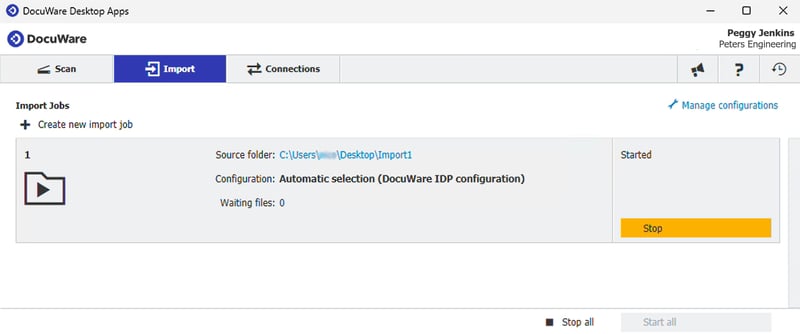
Under “Scan” or “Import,” your customers have two settings to choose from:
- If the document should be classified and the classification results used to select the ideal extraction model, choose “Automatic Selection (IDP).”
- If classification is not required for the document, any configuration with a name ending in “(IDP)” can be selected.
Monitoring IDP task status

In the new “IDP Monitoring” tab in the DocuWare settings, you can conveniently monitor the processing status of the documents from Scan and Import. Should a task fail, it can be restarted using the “Try again” button.
IDP monitoring will be displayed for all cloud users with a DocuWare IDP subscription. Currently, a maximum of 1000 lines can be processed; each line is equivalent to one task. The display has a resettable date filter and a file name search bar.
In the monitoring display, users see only their own tasks, not those from the entire organization.
Additional information is available in the DocuWare Knowledge Center.