
DocuWare Forms now has a new “Prefix-Only Search” option for dropdown fields based on select lists. This feature is to enhance the usability where wildcard search, introduced with version 7.12 for dropdowns, does not provide the intended results, e.g. with number-oriented entries.
Since version 7.12, select list-sourced dropdowns have been equipped with wildcard search functionality to enhance usability. However, for certain select lists, especially number-oriented ones, the wildcard search may not be the best approach.
Example
A user wants to search for a value that starts with 6. The wildcard search from version 7.12 makes them scroll through irrelevant results as seen in the screenshot:
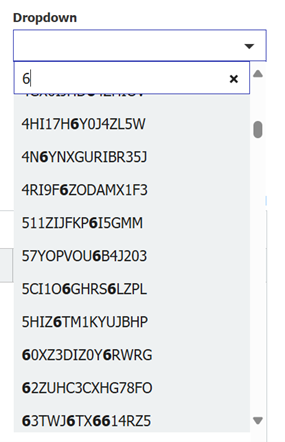
The new “Prefix-Only Search” option will reduce the select list to those entries starting with “6”, which reflects the expected behavior much better.
Configuration
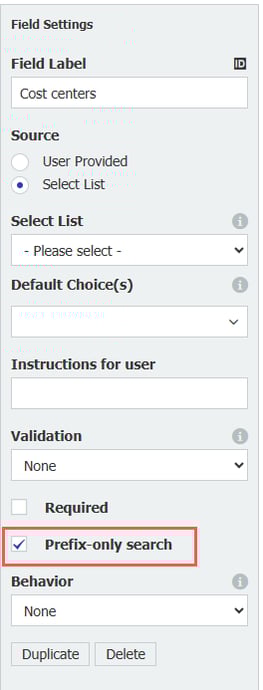
Activate the new option within the field settings of select list-sourced dropdowns by clicking “Prefix-Only Search” checkbox. When enabled, this feature allows users to filter values based exclusively on their prefix, providing a more efficient way of searching for numerical data.
Availability
This feature is part of DocuWare version 7.13, both for DocuWare Cloud and DocuWare as on-premises deployment.