Look forward to new workflow features and simplified system configuration. Document transfer is now also possible between two DocuWare Cloud organizations. And on-premises customers will benefit from the web-based Workflow Designer for intuitive process design, as well as from the new Server Manager as a central application for system administration.
Content
- Web-based Workflow Designer for on-premises
- New workflow features
- Enhanced security and simplified configuration
- Information about all features
- How to get the DocuWare 7.14 update
Web-based Workflow Designer for on-premises
Customers with on-premises DocuWare installations can now also experience the enhanced ease of use offered by web-based workflow creation. Automatic saving, undo and redo functions, support for keyboard shortcuts, and much more—editing workflows directly from within the DocuWare configuration is more convenient and efficient than ever.
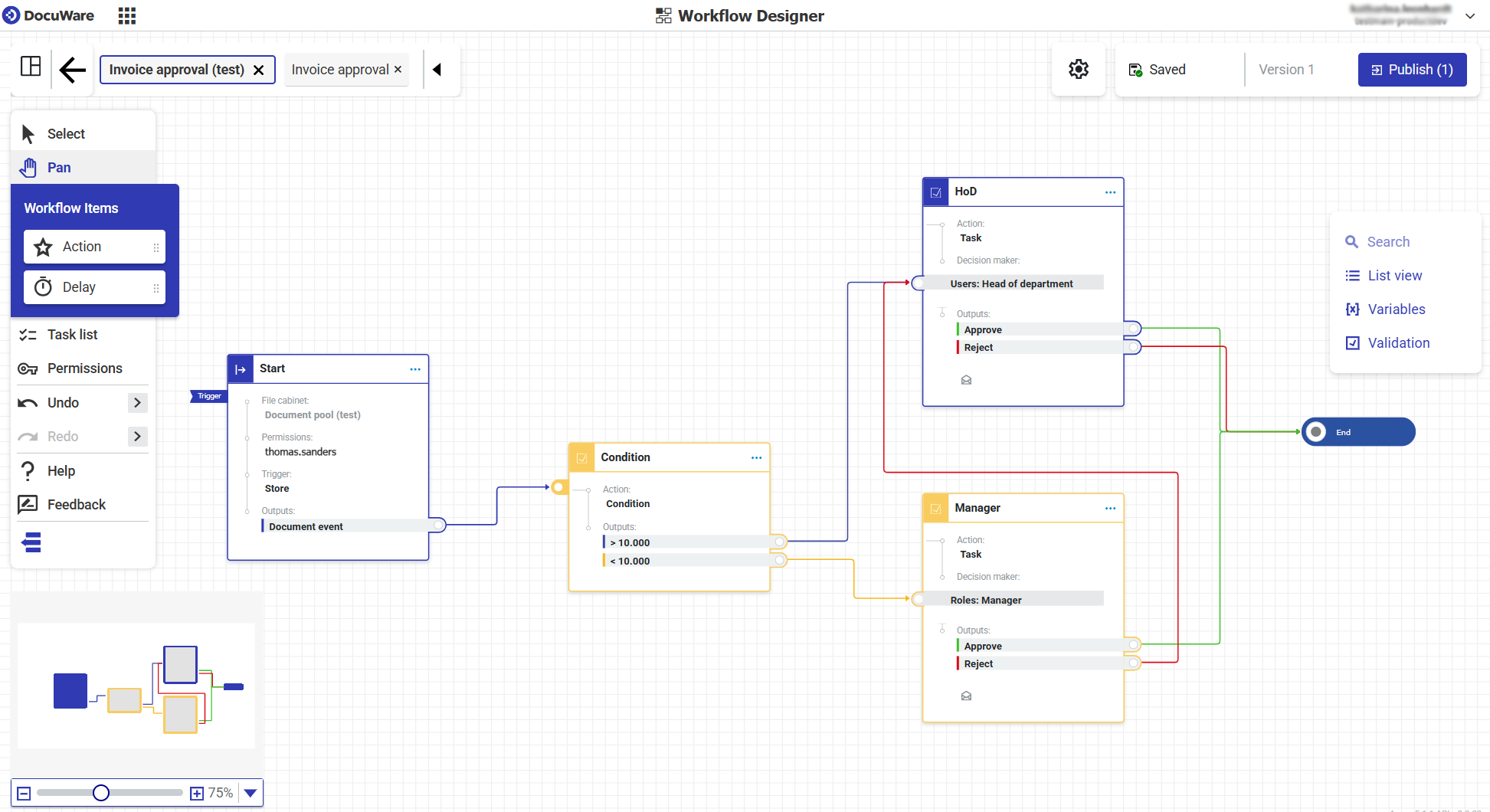
The intuitive workspace of the new Workflow Designer
New workflow features
- Send documents with annotations to web service:
If you use a REST web service in a workflow, you can now send documents as PDFs including annotations. This allows you to automatically transfer documents—including all information from stamps and comments—to connected systems via the API. - New endpoints for the Platform API allow you to create DocuWare groups and unclip documents.
- Advanced options for triggering workflow steps make it easier to migrate existing workflows from the old Workflow Designer to the new one.
Enhanced security and simplified configuration
- Two-factor authentication: Two-factor authentication was introduced in the previous release and can now be made mandatory for user log-in, enhancing the level of security.
- Cloud-to-cloud transfer: It is now possible to transfer large document volumes from one file cabinet to another between two different DocuWare Cloud organizations
- Configurations — now 100% in the browser: All configuration elements are now available in a single place in the browser-based DocuWare Configuration. It is no longer necessary to download or regularly update DocuWare Administration as a desktop app.
- DocuWare Server Manager: The new application for centralized system management of DocuWare on-premises systems goes beyond the capabilities of the previous Service Control. Here, you can also manage DocuWare app pools, test database connections and modify web connections with just a few clicks.
Information about all features
You’ll find more on these and all other new features in DocuWare Version 7.14 in the DocuWare Knowledge Center under “News”, including use cases fields and benefits for you as a user or admin.
There you will also find the technical release notes, which include the updated system requirements and other technical changes.
How to get the DocuWare 7.14 update
If you’re using DocuWare Cloud, you’ll receive the update automatically – no action is needed. Our DocuWare Cloud Team will notify you in advance of the exact timing.
If you’re using an on-premises system, please contact your authorized DocuWare Partner or your DocuWare representative. They will inform you about the new features and advise you on update options.
On-premises customers should also be aware of the DocuWare Support Lifecycle Policy. DocuWare Version 7.9 will be supported until the end of October 2026 and Version 7.110 until the end of May 2027. Version 7.9 is the minimum requirement if you want to update directly to version 7.14.