GenAI-powered data extraction makes capturing information from any document faster and more flexible than traditional, template-based methods. This article explores how GenAI improves automated workflows, compares it to classic approaches, and helps you choose the best extraction strategy for your business.
Contents:
- What’s changed: IDP classic vs. GenAI extraction
- Workflow comparison: classic vs. GenAI extraction
- When to use what: classic or GenAI extraction
What’s changed: IDP classic vs. GenAI extraction
Classic IDP extraction required building and maintaining custom models for each document type. This involved manual annotation, marking where specific values appear in each document and creating templates that mapped data fields. While configurable models brought some shortcuts, the process still relied heavily on manual setup and maintenance.
GenAI extraction replaces much of this manual work with automation. Rather than setting up templates and annotating documents, you specify what information you want to capture. One of the key innovations is zero-shot extraction. Instead of training a model first, users define the fields they want to extract and provide a short description for each field. The AI then uses the field definitions and the document content to generate extraction results immediately, without prior training or manual annotation. This enables faster testing, early validation and iterative refinement of field definitions.
GenAI extraction streamlines document processing in several key ways:
- No manual annotation needed
- Immediate zero-shot extraction without training
- Flexible options for refining results through examples or validation
Instead of manually annotating documents from scratch, you can use existing documents, such as those stored in DocuWare, to set up your models. This speeds up model creation and lets you leverage existing data while maintaining high extraction quality. Both classic and GenAI extraction options are supported, allowing you to choose what works best for your workflow.
Workflow comparison: classic vs. GenAI extraction
Classic extraction
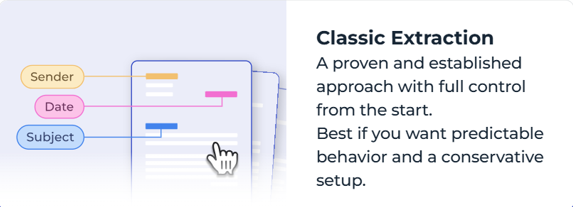
Classic extraction is the established, annotation-based approach for IDP. A model is trained by marking where specific values appear in a document. From this, the system learns which document positions correspond to which fields.
Classic extraction follows an annotation-based workflow:
- Upload documents
- Annotate field positions
- Train the model
- Run extraction
This approach works particularly well for stable and predictable document layouts where structure and formatting remain consistent.
GenAI extraction
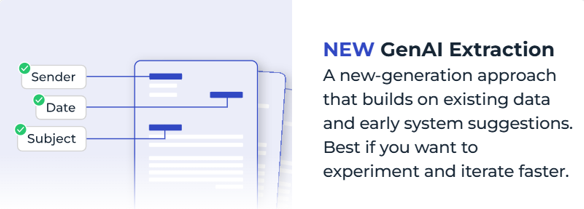
GenAI extraction focuses on the document content. You define the fields to be extracted and provide clear descriptions. The system generates initial results immediately using a pre-trained model. These results can be reviewed in a validation step within the workflow, where users verify and correct extracted values before they are used in downstream processes. User corrections are captured as feedback signals and are used to improve future model training cycles, not for instant automatic model retraining. GenAI extraction is best when layouts are variable or unpredictable; you need quick setup or want to experiment rapidly.
When to use what: classic or GenAI extraction
Classic extraction works best for:
- Predictable, stable document layouts
- Need for precise control over layout mapping
- Large volume of consistent documents
GenAI extraction works best for:
- Diverse, variable document types
- Example: Documents with varying layouts where extraction is based on the full document content rather than fixed positional structures.
- Quick setup with minimal technical requirements
- Example: Defining required fields with short descriptions and receiving immediate extraction results without setting up templates, creating annotations, or training a model.
- Rapid experimentation and iteration
- Example: Testing and iteratively refining field definitions based on immediate extraction results and feedback.