


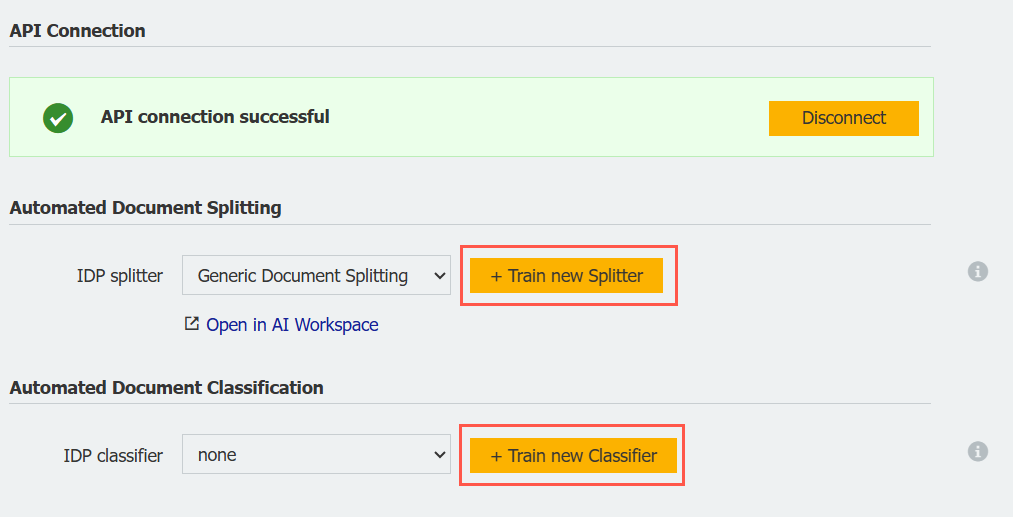
Train your IDP models for automated classification and document splitting directly in DocuWare – using your own documents straight from your DocuWare archive. It's faster and easier than ever before.
Contents
- Fast and straightforward model training
- How it works
- Coming soon: expanded capabilities
- Split documents automatically during scanning and import
Fast and straightforward model training
You can conveniently select your training documents directly from your DocuWare file cabinets and start training directly in the DocuWare interface. Eliminating the need for manual uploads to a separate IDP platform.
How it works
In the DocuWare Configuration, go to the IDP section to start training new splitting and classification models.
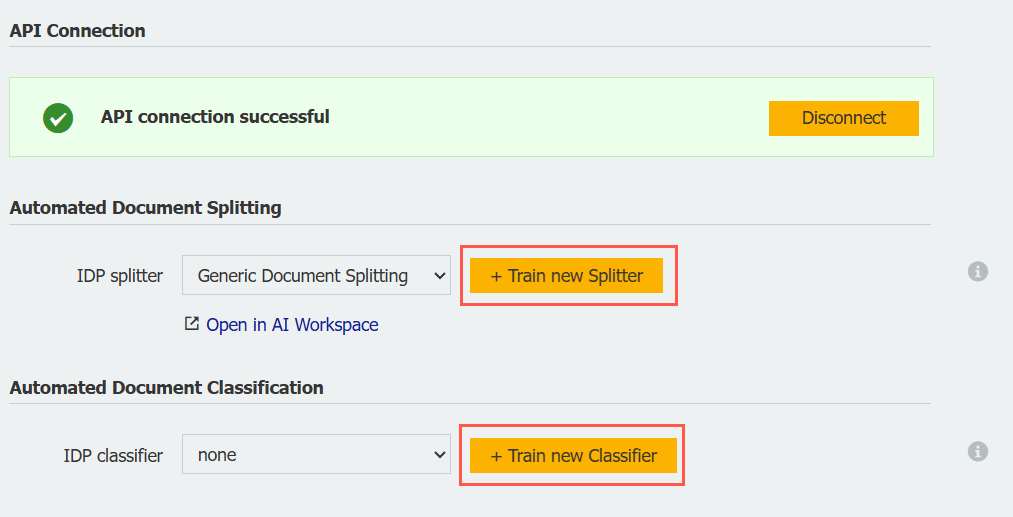
A clear dialog guides you step by step through the training process. A selection list from your DocuWare file cabinet helps you choose the right documents for training:
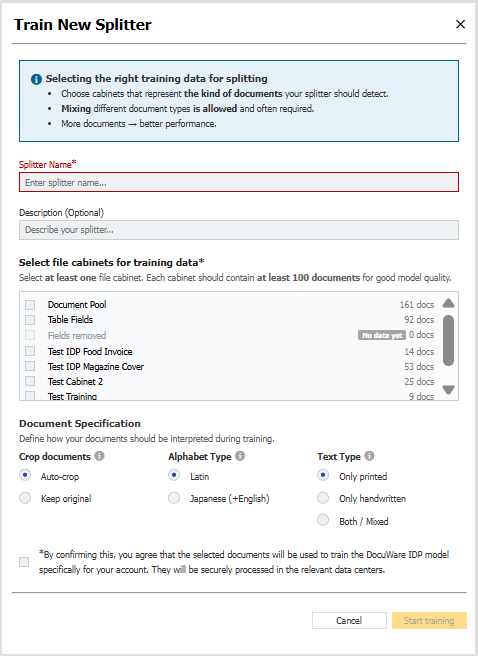
To train a new splitter, select at least one archive.
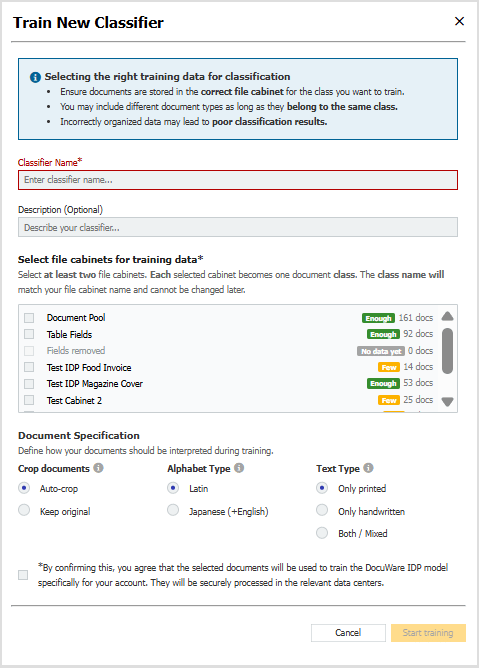
To train a classifier, select at least two different file cabinets. The system will indicate whether there are enough documents available for successful training.
Model training runs automatically in the background and can take up to 24 hours. You can start multiple training processes simultaneously – once one training is running, you can set up the next.
Coming soon: expanded capabilities
We are also enhancing DocuWare to let you train extraction models directly within the platform. Soon, it will also be possible to select not only file cabinets but also specific index fields when training classification models. This will allow different values within an index field to be automatically recognized and trained as separate classes.
Split documents automatically during scanning and import
By the way, with IDP integrated into the DocuWare Desktop Apps, you can also automatically split PDF batch files into individual documents during scanning or import.
For example, you can scan all delivery notes for the day in one step, and DocuWare will automatically split them so that each document can be processed individually. This ensures your data is routed directly into the right processes without any detours. You can find more information in the DocuWare Knowledge Center.