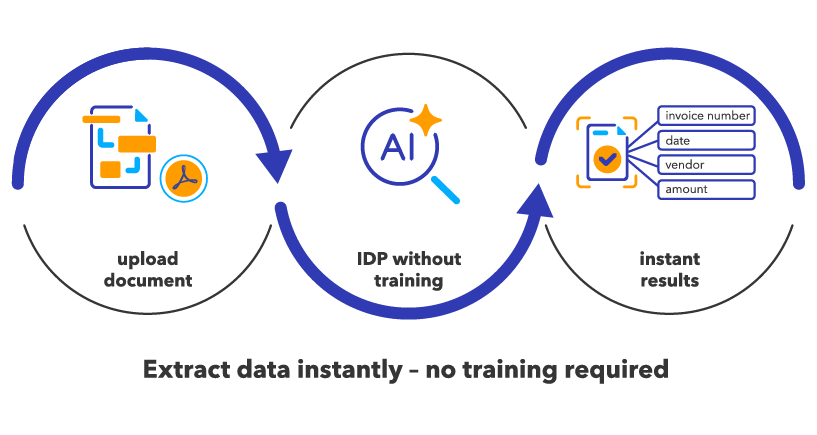
GenAI extraction as part of Intelligent Document Processing with DocuWare IDP is transforming how businesses process documents. Today, we’ll walk through how GenAI extraction works, give step-by-step instructions for getting started and offer tips for maximizing your results.
Contents
- What is GenAI Extraction
- What is Zero-Shot Extraction — and how does it work?
- Who sets it up: administrator or user?
- How GenAI extraction works — step-by-step
- Tips for best results
What is GenAI Extraction
GenAI extraction is an AI-powered capability in DocuWare IDP that automatically extracts structured data from unstructured documents such as invoices, contracts, or delivery notes. Unlike traditional document processing systems that require pre-built templates and manual mapping, GenAI extraction leverages artificial intelligence and natural language, making setup faster, easier and more flexible. Users simply describe the data fields they want (e.g., “Invoice Date: the date on which the invoice is issued”) and the AI does the rest, eliminating the need for complex or technical configuration.
What is Zero-Shot Extraction — and how does it work?
Zero-shot extraction is a core feature of GenAI extraction, enabling baseline results without prior task-specific training or annotation.
How it works:
Zero-shot extraction happens at the moment you process your documents — not during AI model creation or initial training. The GenAI model is already extensively pre-trained on a wide range of document types. When you upload a document and specify the fields you want using plain language, GenAI instantly applies its knowledge to identify and extract the relevant data — even from document formats or layouts it hasn’t seen before.
There’s no need to build custom models, create templates, or provide annotated samples. All you do is tell GenAI what you need at the time of extraction and get immediate baseline results.
What makes it unique:
GenAI extraction does not require any training, annotation, or template setup before you can start. Once you upload a document and define the required fields, you receive initial extraction results immediately. The AI interprets your field instructions and applies them to the full document context, enabling extraction across a wide range of document layouts and structures, especially those that are variable or unstructured.
In short: GenAI extraction is a prompt-driven AI-based extraction approach designed for fast setup and flexible use. Zero-shot extraction refers to its ability to generate results immediately during document processing based on field definitions, without requiring prior training, annotation, or traditional template-based configuration.
Who sets it up: administrator or user?
A key advantage of GenAI extraction is its flexibility and accessibility. Both administrators and end users can define or adjust field definitions depending on organizational roles and permissions. Administrators typically establish standardized field sets to ensure consistency across the organization, while end users can create or refine fields directly in the product interface for their specific needs. This can be done without requiring deep technical or data science involvement.
How GenAI extraction works — step-by-step
GenAI extraction provides a streamlined workflow for document data capture:
- Document upload
Documents such as invoices, contracts, or delivery notes are provided to the extraction process. This can be done either by uploading documents directly together with their corresponding JSON data for model training, or by selecting existing documents from DocuWare, where the index data from DocuWare is used for training. - Field definition (set schema/field)
Users define the fields they want to extract by specifying field names and natural-language descriptions. Together, these field definitions form the target schema and guide the GenAI model in generating the final structured output.
Depending on permissions and organizational requirements, field definitions can be created and maintained by administrators or business users themselves. This flexibility allows teams to adapt extraction requirements without templates, manual annotation, or complex configuration.
For example, when setting up extraction for invoices, you might define fields such as:- Vendor Name: "The name of the company issuing the invoice, typically located at the top or in the header"
- Invoice Number: "A unique identifier for the invoice, often labeled as 'Invoice No.' or 'Invoice #'"
- Invoice Date: "The date the invoice was issued, commonly near the top right"
- Total Amount: "The grand total due for payment, usually labeled as 'Total' or 'Amount Due' and found at the bottom of the document"
- Due Date: "The date by which payment should be made" These descriptive field definitions help GenAI understand exactly what data to extract, increasing accuracy even across documents with different layouts or formats.
- Zero-Shot Extraction
Once the document is uploaded and fields are defined, extraction is fully automated and initiated by the user. As documents are processed, GenAI instantly applies its pre-trained understanding and your field descriptions to extract the relevant data. No template creation, manual annotation, or upfront model training is required. Baseline results are available immediately, allowing users to validate and refine field definitions through a fast, iterative feedback loop. - Review and refinement
The user who initiated extraction (or an administrator for organization-wide workflows) reviews the results. If any field needs improvement, the description can be refined or example values added. Optional additional AI training is available for advanced scenarios but is rarely necessary. - Template/schema management
Administrators usually manage schemas/templates for consistency, but end users can create or modify schemas for their unique requirements if permissions permit. Once a template/schema is defined for a document type, GenAI automatically applies it to similar documents — there’s no need for repetitive setup.
Where does this happen?
All steps take place within the document management or extraction interface. Users are not required to configure rule-based extraction logic or perform manual OCR-box annotation workflows. Instead, extraction is driven by a model-based approach where setup, execution and improvement are handled through field definitions and validation feedback.
With GenAI extraction, you automate document workflows quickly and easily. The interface is straightforward, allowing you to focus on your data rather than configuration.
Tips for best results
- Use clear, detailed field descriptions to improve extraction quality — specify the expected format, provide examples and offer guidance for each field.
- If results are not accurate, refine your field descriptions or add example values, then process the document again to check improvements.
- GenAI extraction improves with feedback. This feedback happens during usage, as you review and validate extracted results. The more you validate the system’s output — by correcting errors or confirming accuracy — the more GenAI can adjust and deliver better results over time.
- Validation typically occurs within the document interface or dashboard, where users review and accept or correct extraction results for each processed document.
Want to learn more about the differences between classic and GenAI extraction? Read our blog: New in DocuWare IDP: GenAI extraction.