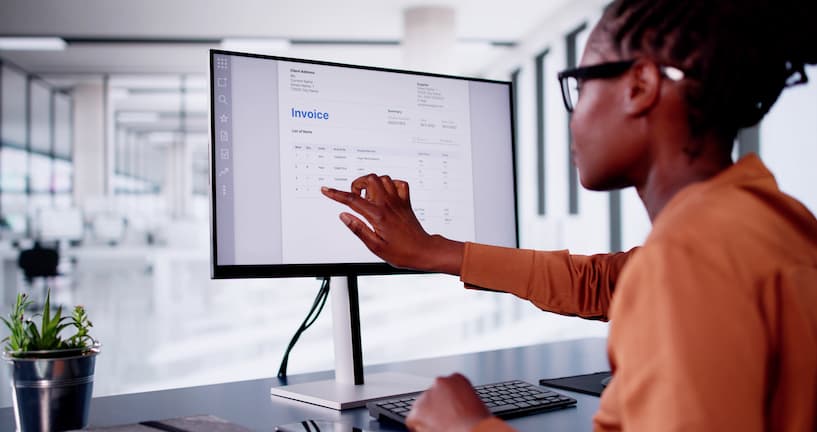
For many AP teams, cost per invoice, error rate, and cycle time are stubbornly hard to improve. Invoice handling is still manual work, and when something doesn't match, resolving the exception takes longer than processing the original invoice.
Invoice reconciliation relieves this pain by aligning invoices with POs and goods receipts before approval and ensuring payments close against the correct amount in the correct accounting period. Cash flow stays predictable, AP staff spend less time firefighting, and month-end close doesn't drag into the second week.
In this article, we walk through each stage of invoice reconciliation, look at the five most common points of failure, and outline how to improve throughput and accuracy in your AP workflow without oversimplifying the reconciliation process.
Table of contents
- What invoice reconciliation actually means in finance operations
- The invoice reconciliation process (step by step)
- Where invoice reconciliation breaks (and why it slows finance teams down)
- How automation changes invoice reconciliation
- How to improve invoice reconciliation
- Case study: Lawrence Paper Company
- Invoice reconciliation is a cross-functional effort
- Frequently asked questions about invoice reconciliation
What invoice reconciliation actually means in finance operations
Definition of invoice reconciliation: more than matching invoices
Invoice reconciliation confirms that an invoice, the purchase order behind it, the goods receipt that records delivery, and the payment that eventually closes it out all agree with each other. Every detail in that sequence has to match: from vendor and quantities to pricing and accounting period. Until all of those check out, the invoice can't move to approval.
The goal for reconciliation is accuracy, completeness, and timing alignment; not just matching numbers.
Where reconciliation fits in the AP workflow
In the purchase-to-pay lifecycle, reconciliation falls between invoice capture and payment approval. Procurement issues POs, receiving logs, deliveries, and finance processes invoices and executes payments.
Invoice reconciliation vs related concepts
Invoice reconciliation overlaps with a few related accounting processes. Here's how they differ:
|
Concept |
What it focuses on |
When it happens |
Key distinction |
|
Invoice reconciliation |
Verifying invoice against supporting data |
Before payment |
Ensures correctness of transaction |
|
Invoice vs PO vs receipt |
During reconciliation |
Specific validation method |
|
|
Account reconciliation |
Ledger vs balances |
Month-end |
Financial reporting accuracy |
|
Billing reconciliation |
Charges vs expected billing |
Ongoing |
Often recurring revenue context |
The invoice reconciliation process (step by step)
Step 1: Invoice capture and data entry
Invoices arrive as email attachments, EDI feeds, scanned paper from the mailroom; whatever format the vendor uses. The first task is getting that data into structured fields your AP system can work with.
Manual keying is slow and error-prone, and mistakes at capture carry through every step that follows. Invoice OCR and IDP standardize how vendor, invoice number, PO, amounts and tax get captured, regardless of document format.
Step 2: Matching invoice to purchase order
With the data captured, AP compares the invoice against the PO. Vendor, line items and pricing all need to reconcile invoices against the order.
Sometimes the invoice arrives without a PO reference, and someone has to track down the matching order before the invoice can be processed. Other times the reference is there but the numbers don't line up — for example, the PO said $4.20 a unit but the invoice bills $4.35. Or the PO was for 100 units but the invoice covers 112. Someone has to decide whether those variances fall within tolerance, whether the vendor needs to rebill, or whether to reject the invoice outright.
Step 3: Matching against goods receipt
The common problems here are timing and partial deliveries. For instance: the vendor shipped 80 of the 100 ordered and will send the rest next week, or the receipt was logged yesterday, but the invoice arrived last Friday. Resolving it requires receiving, procurement and AP teams to be working from the same delivery records.
Step 4: Exception handling and discrepancy resolution
Exception handling is the largest contributor to AP cycle time. Price differences, duplicates, missing data, unrecognized vendors and tax errors can all pull the invoice out of the standard flow and into a queue for review. And a lack of structure in the review process often creates bottlenecks.
Resolving exceptions is rarely a one-person task. AP flags the issue, procurement has to confirm what was ordered, and the vendor may need to reissue the invoice. When that back-and-forth runs through email threads with no SLA, a two-day fix can drag into two weeks.
Step 5: Approval and ERP posting
Validated invoices with exceptions resolved move through approval and post to the ERP or accounting system.
Anything that slipped through earlier — like a wrong general ledger (GL) code or a missed price variance — needs to be corrected and reposted, which is why upstream reconciliation quality directly affects posting throughput.
Step 6: Payment reconciliation
After payment, AP matches the record against the invoice to confirm the amount and reference are correct. This keeps the subledger and general ledger aligned and gives auditors a complete trail from invoice receipt through settlement.
“When reconciliation works, you find problems at the invoice stage, not at month-end. The teams we work with get the best results from automating routine matching and putting proper routing around exceptions. Nothing sits waiting for someone to notice it.”
— Courtney Pozzi, Sr. Director Finance Americas/CFO DocuWare Corporation
Where invoice reconciliation breaks (and why it slows finance teams down)
Fragmented systems and data silos
In most accounting departments, invoice data, PO records, and goods receipts are spread across multiple systems that don't talk to each other. AP staff fill the gap manually, toggling between screens, copying reference numbers, and cross-referencing records by hand to confirm that an invoice, PO and receipt all relate to the same transaction.
Inconsistent invoice formats
Vendors submit in whatever format suits them. One sends structured EDI, another emails PDFs with a different layout every quarter, and a few still send paper through the mailroom. That inconsistency traditionally meant that invoices needed to be re-keyed or corrected by hand before they could be matched.
Manual exception handling bottlenecks
When a discrepancy comes up, exception resolution typically runs on informal follow-up: a forwarded email with a reply a few days later, no assigned owner. The issue sits unanswered in an inbox until someone claims it, usually after the vendor has already called to chase payment.
Timing mismatches across documents
Invoices and goods receipts rarely arrive in sequence. The invoice often lands first and the receipt follows a few days later, or the other way round. The invoice can't be posted without the receipt, and anything parked waiting for a matching document needs to be monitored or it gets forgotten.
Lack of visibility into reconciliation status
Without a single system showing where each invoice is in the process, answering “when will this be paid?” means pulling up a spreadsheet, checking an inbox, and/or calling procurement. Multiply that across every vendor query in a week and the time cost is significant.
It also makes it hard to see where invoices are stacking up or which exceptions to deal with first. AP teams end up responding to whatever comes in next rather than working through the queue in priority order.
How automation changes invoice reconciliation
Automation redirects where time goes in reconciliation. The repetitive, high-volume parts move to the system, and people handle the exceptions that require human judgment.
What automation can handle reliably
Capture is a strong candidate for automation, along with classification, routing, and structured matching. Intelligent document processing (IDP), whether standalone or inside a document management system (DMS), pulls data from an invoice without anyone rekeying it. Rule-based matching handles invoices where the vendor is on file, the PO is referenced, and the amount is within tolerance. Routing sends exceptions and approvals to the right person for review.
|
Step |
Automation capability |
How |
|
Capture |
High |
OCR / IDP |
|
Classification |
High |
AI models |
|
Matching |
High |
Rules + logic |
|
Exception routing |
High |
Workflow |
|
Approval |
Medium |
Human-in-the-loop |
What still requires human oversight
Exceptions still need people to approve the resolution. For example: a vendor sends a short-pay nobody agreed to, a credit note references an invoice that isn't in the system, or someone bills against a PO you don't have. Writing rules for every edge case would be impractical; these cases are best handled by experienced AP staff who can assess them individually.
The goal is to build an AP function where people spend their time on the cases that need human review, with everything else moving through the system independently.
Document layer vs data layer
Effective reconciliation relies on two layers working together. The document layer captures and extracts information from source files such as PDFs, scans and emails, turning unstructured content into structured fields the rest of the process can use.
The data layer validates and matches that structured data inside ERP and accounting systems — running matching rules, recording postings, and updating the general ledger.
Both layers need to work together for reconciliation to keep pace with invoice volume. Strong capture paired with weak matching feeds good data into a messy process. Equally, solid matching on top of inconsistent capture feeds bad input to a capable engine.
Automation reduces (not removes) exceptions
Invoice automation speeds processing for standard invoices and smooths out the consistency issues that manual work introduces. It doesn't eliminate exceptions — nothing does — but it makes them easier to spot, route, and resolve.
Accounts payable workflow automation gives exceptions a specific process: a queue with an assigned owner and a deadline for resolution.
Manual vs automated invoice reconciliation
|
|
Manual invoice reconciliation |
Automated invoice reconciliation |
|
Data capture |
Invoice data is entered manually from PDFs, emails, or paper documents. |
Invoice data is captured automatically using OCR and document processing tools. |
|
Matching process |
AP staff compare invoices against POs, receipts, and payment records manually. |
Matching rules compare invoice data against POs, receipts, and ERP records automatically. |
|
Exception handling |
Discrepancies are reviewed through email chains or ad hoc follow-up. |
Exceptions are flagged automatically and routed through structured workflows. |
|
Processing speed |
Slower, especially when invoice volumes increase or supporting documents are missing |
Faster, with quicker validation and routing of standard invoices |
|
Error risk |
Higher due to manual entry, inconsistent checks, and missed discrepancies |
Lower for routine invoices, with fewer manual touchpoints |
|
Visibility |
Limited visibility into invoice status, bottlenecks, and pending exceptions |
Better visibility through tracked workflows, status updates, and reporting |
|
Scalability |
Difficult to scale without adding headcount |
Easier to scale across higher invoice volumes and multiple entities |
|
Role of staff |
Teams spend more time on data entry and chasing missing information |
Teams focus more on resolving exceptions and approvals |
“Once automation takes routine invoices off the team's plate, exception handling stops being something people squeeze in between batch processing and starts getting the attention it deserves.”
— Rob Moser, DocuWare's Director Professional Services Americas
How to improve invoice reconciliation
Improvement doesn't have to be a rip-and-replace project. Targeted structural changes often deliver more value than a sweeping overhaul.
Start with high-volume invoice types
Pick the invoice categories you see most often, focusing on repeat vendors or predictable formats. These are the easiest to automate and will give your AP team the fastest visible returns. Once they're running cleanly, you can apply the same approach to more complex or infrequent invoice types.
Define matching and validation rules
Decide upfront what counts as a match and what doesn't. Set your required fields and tolerance thresholds; perhaps variances under $50 or 2% post automatically, but anything above goes to review. Without those lines drawn, every variance is an exception, and you end up with a long queue of invoices to manually reconcile.
Automate document capture first
If you can only automate one thing, make it document capture. Manual data entry is slow, error-prone, and a drag on everyone working downstream of it. Once capture is reliable and consistent, matching and validation become significantly easier. Trying to automate matching on top of inconsistent input creates more exceptions.
Structure exception workflows early
Define ownership before volume makes it urgent. For example: duplicates go back to AP, price mismatches get escalated to procurement, and disputed credits go to the vendor. The point is that every exception type has a named owner and a defined route so nothing stalls waiting for someone to pick it up.
Measure performance with KPIs
You don't need to measure an endless list of metrics; there are four core KPIs that will tell you whether your billing reconciliation process is working:
|
KPI |
Meaning |
Why it matters |
|
Processing time |
Speed |
Efficiency |
|
Exception rate |
Quality |
Bottlenecks |
|
Cost per invoice |
Cost |
ROI |
|
First-pass match rate |
Automation success |
Scalability |
Case study: Lawrence Paper Company
Lawrence Paper Company is a family-owned box and packaging manufacturer based in Kansas, in business since 1882.
With around 215 employees serving roughly 2,000 customers across industries from pet food to automotive, the company produces goods at a scale that demands precise record-keeping. And for decades, that meant paper.
Purchase orders circulated physically between seven different people before landing in a filing cabinet. Invoice processing was slow, and reconciling against POs in their ERP system was a manual exercise.
The company adopted DocuWare, starting with the Accounting department, which replaced paper-based purchase orders and invoice handling with digital workflows. Key improvements included:
- Digital purchase orders: Paper PO routing was replaced with electronic forms and automated approval workflows, cutting cycle time, and eliminating lost documents.
- Automated invoice capture: Incoming invoices are indexed and linked to order data using Intelligent Indexing, creating a structured digital record ready for matching.
- ERP integration: Invoice data flows directly into their ERP system, removing manual data entry and reducing the errors that previously complicated reconciliation.
- Significant throughput gains: Lawrence Paper Company’s AP team went from processing 15 invoices a day to 100, without adding headcount.
Invoice reconciliation is a cross-functional effort
Reconciliation looks like a finance problem, and most of the day-to-day work does lie with accounts payable. But the input comes from everywhere in your business. Procurement has to enter POs correctly; receiving has to record deliveries promptly; IT needs to fully integrate systems, and vendors must send invoices in a consistent format. When any of those are late or inaccurate, AP is the team that absorbs the cost.Improving reconciliation rests on getting those upstream functions right, which involves a cross-functional effort. Automating AP workflows has limited value if the PO data feeding into them is incomplete, or the goods receipt is logged days late. The process and the data have to be reliable before automation can reduce cycle time or cost per invoice.

Frequently asked questions about invoice reconciliation
What is invoice reconciliation in accounts payable?
Invoice reconciliation confirms that invoice details match purchase orders, goods receipts and payment records before the invoice is approved and posted to the general ledger.
What is the difference between invoice reconciliation and 3-way matching?
Invoice reconciliation covers the full validation cycle from capture through payment. 3-way matching is one step within that, comparing the invoice, PO and goods receipt to confirm quantity and pricing accuracy before approval.
Can invoice reconciliation be automated?
Capture, standard matching, and routing can all be automated using invoice automation tools. Exceptions and disputes still need human review, so most AP teams automate the routine tasks and use structured workflows for exception handling.
What causes invoice reconciliation errors?
Mismatched data between invoice and PO, missing or unrecorded purchase orders, timing gaps between invoices and goods receipts, inconsistent vendor formats, and manual data entry errors at capture.
What is a typical invoice reconciliation process flow?
A standard accounts payable workflow automation runs through capture, data extraction, PO matching, goods receipt matching, exception handling, approval, ERP posting and payment reconciliation.
How does invoice reconciliation affect the month-end close?
Unresolved invoices, incorrect postings and items flagged for rework all create problems at period-end. Keeping reconciliation current throughout the month means fewer adjustments and a faster close.
What systems are involved in invoice reconciliation?
Document capture tools (OCR or IDP, often part of a document management system), AP automation platforms, and ERP or accounting systems. A quality DMS is a great solution for the document side of the workflow; the ERP handles financial data and postings.