This article draws on the experience of Johannes Korves, Vice President Business Development & Innovation at DocuWare and co-founder of natif.ai.
I’m fascinated by AI. I have spent a good part of my career working with artificial intelligence up close and I’ve seen it save people hours of tedious work. But I’ve also seen AI get things wrong and cost companies a lot of money for very little return.
AI adoption is accelerating fast. Generative AI has reached 53% population-level uptake, according to Stanford’s 2026 AI Index. Yet inside companies, putting AI into production is taking longer. Deloitte has found that only 25% of organizations have moved 40% or more of their AI pilots into production.
Clearly, AI is already part of everyday life, but there is still a big gap between using it and getting reliable value from it.
The state of AI in 2026: the key facts
- AI is already everywhere, even if we don’t always notice when we’re using it.
- Employees are moving faster with AI than the companies they work for.
- AI models are getting cheaper to use, but the infrastructure needed to build and run them is still costly.
- Many enterprise AI pilots fail to show a measurable return.
- For most businesses, the clearest opportunities are in the back office, where AI has a specific job and results can be verified.
 Watch my webinar on the state of AI
Table of contents
- AI adoption tells two different stories
- Where AI is proving its worth
- Where AI still falls short
- Five rules for using AI in your business
- Why document-heavy work suits AI
- Giving AI access to company documents
- How I would approach AI now
- Frequently asked questions about the current state of AI in 2026
AI adoption tells two different stories
Most of us are already using AI without thinking of it that way. I read an interesting study by Gallup asking Americans whether they had used an AI-enabled product during the previous week. 36% said yes. Gallup then asked about things such as navigation apps, weather services, streaming and online shopping. 99% had used at least one type of AI-enabled product without realizing.
Something similar is happening in the workplace. Employees aren’t waiting for an official, organization-wide AI rollout before using the technology on their own. So, when we talk about AI adoption inside a company, we need to draw an important distinction. There’s a significant gap between a few employees using generative AI and AI becoming embedded in the systems and processes the wider organization uses.
Where AI is proving its worth
I like AI most when it does a specific job. Some of the most compelling examples come from science. AlphaFold’s database now contains more than 200 million predicted protein structures and is freely available to researchers.
Of course, most companies aren’t trying to predict protein structures, but they still have plenty of work that’s well-suited to AI. They may have thousands of PDF invoices arriving each month into a shared mailbox, and employees spending hours entering that information into another system. AI can read those invoices, extract the required information, and pass it into the next stage of the workflow. That’s a clear win: high volume, repetitive, and easy to verify.
Where AI still falls short
Generative AI can give you a wrong answer and sound completely confident. Artificial Analysis tests hallucination rates across different models, and factual errors are still a problem even with the leading models. Businesses still need to check answers and account for the time that takes.
Research commissioned by Sage and conducted by IDC has found that finance professionals are spending nearly 13 hours a week checking and correcting AI output. That’s a lot of hours spent on something that’s supposed to save time.
Then there are running costs. Enormous investment is flowing into AI models, chips, data centers and energy infrastructure. But for any business, the litmus test is what comes out at the other end. A successful pilot doesn’t prove much if the cost of implementing, integrating and checking outweighs the value it delivers.
Security is an important consideration, too. AI has made it possible to move much faster, but the time between a vulnerability becoming known and somebody taking advantage of it has become much shorter, giving businesses less time to respond.
Five rules for using AI in your business
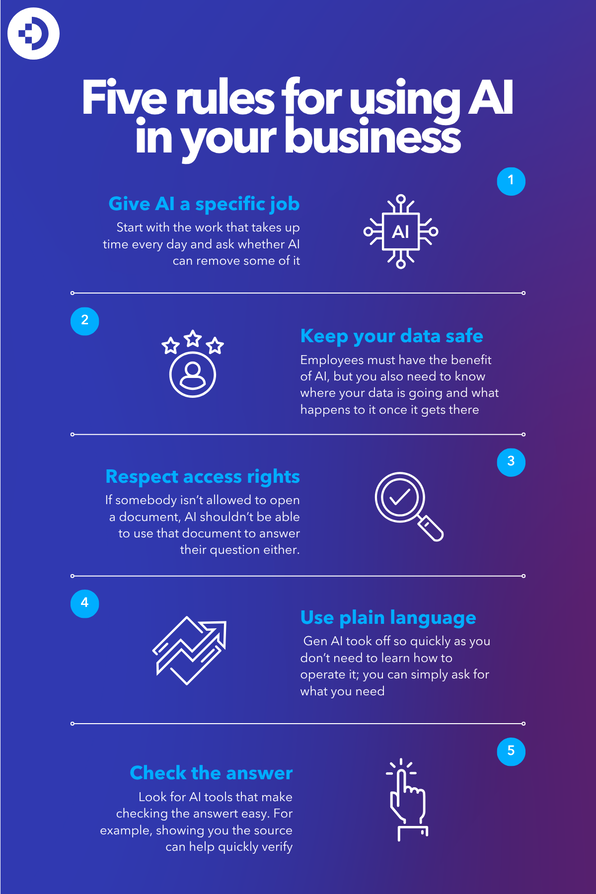
Rule 1: Give AI a specific job
There are plenty of things you can do with AI, but that doesn’t mean they’re all worth doing. I’ve seen too many pilots where the technology works but the business gets very little from it.
I would start with the work that takes up time every day and ask whether AI can remove some of it. In my experience, that often leads you to the back office rather than the more ambitious AI projects people like to talk about.
Rule 2: Keep your data safe
People are going to use AI at work whether there is an official plan for it or not. The problem starts when exmployees copy sensitive information into tools nobody has approved or is keeping track of. You want employees to have the benefit of AI, but you also need to know where your data is going and what happens to it once it gets there.
Rule 3: Respect access rights
Giving AI tools access to company information shouldn’t suddenly give employees access to data they couldn’t see before. If somebody isn’t allowed to open a document, the AI shouldn’t be able to use that document to answer their question either. It sounds obvious, but it must be built into the way the AI works.
Rule 4: Use plain language
One reason generative AI took off so quickly is that you don’t need to learn how to operate it; you can simply ask for what you need in normal everyday language. In a business setting, people can work with AI tools without having to learn another complicated system.
Rule 5: Check the answer
You still need to check what AI gives you. But if checking the answer takes as long as doing the work yourself, you haven’t gained very much. I would look for AI tools that make that part easy, for example, by showing you the source behind an answer so you can quickly confirm whether it is right.
Why document-heavy work suits AI
The back office is full of the kind of work I want AI to do. There are specific tasks to complete and established processes to work within. Documents arrive in volume, and people often perform the same procedures again and again.
Document-heavy processes fit the five rules well. The job can be defined, and the original document gives you something to check the result against. That’s a good starting point for bringing AI into document management and intelligent document processing.
Giving AI access to company documents
Document-heavy work may be a good fit for AI, but giving an AI assistant access to company information introduces another problem.
A general AI assistant sees the information you give it; it doesn’t automatically know how your document archive is organized, which files an employee is authorized to access or where an answer should come from.
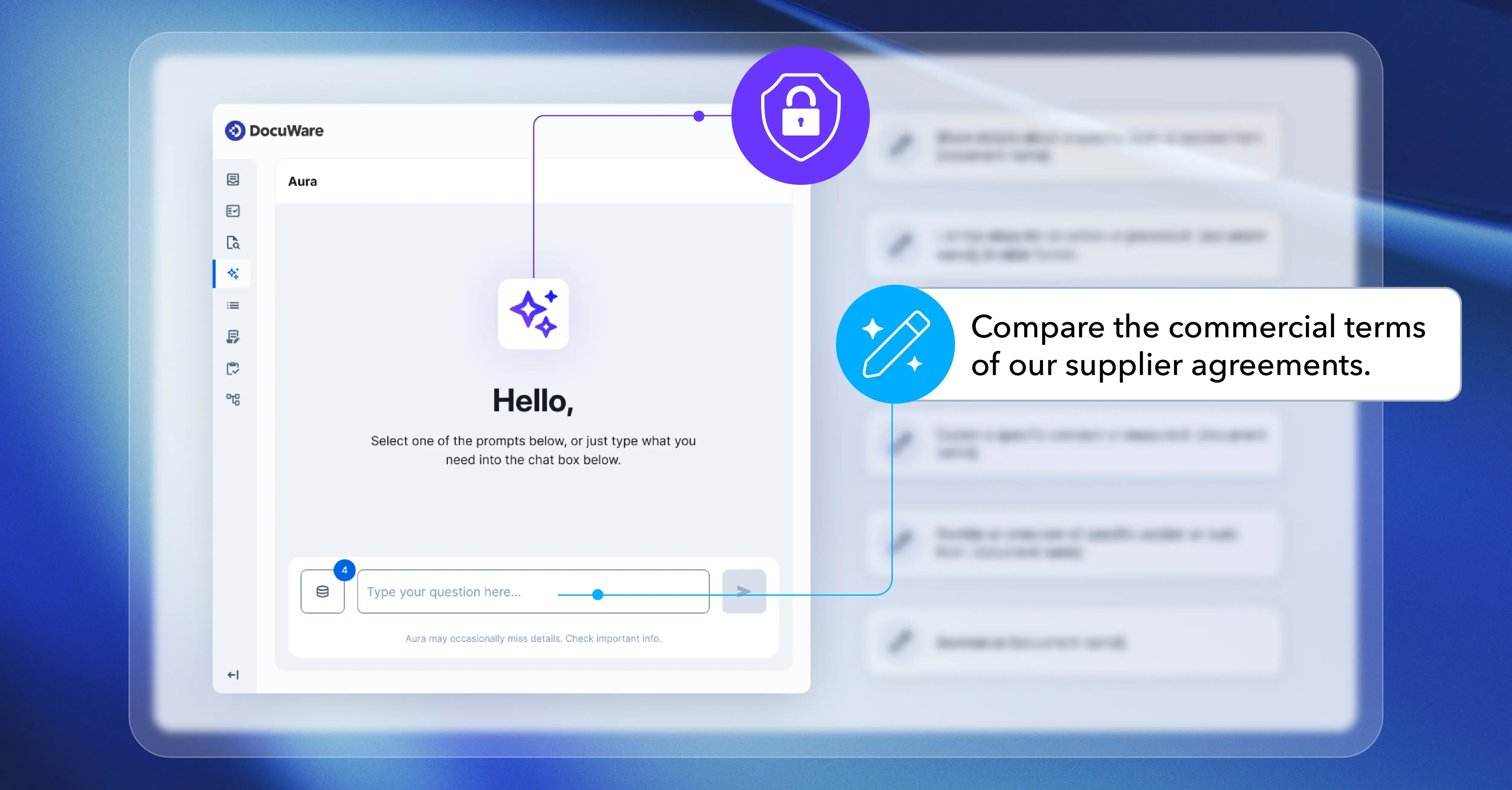
We had those issues in mind when developing DocuWare Aura, DocuWare’s built-in AI assistant. DocuWare Aura works within your existing environment, so you get permission-aware AI that never exposes data it shouldn't.
|
General AI assistant |
DocuWare Aura |
|
Works with the information you provide during the interaction |
Works with documents in DocuWare electronic file cabinets |
|
Doesn’t automatically inherit your document permissions |
Uses the access rights already assigned to the user |
|
May give an answer without an accessible source |
Provides the document used for the answer |
|
Company information may leave its established document environment |
Works within the controls surrounding documents in DocuWare |
Administrators decide which documents DocuWare Aura can access, and it checks existing user permissions before it providing an answer. AI operations run on dedicated infrastructure, and the models don’t use customer documents to train the models.
How I would approach AI now
There will always be another AI model or an impressive demo. They won’t necessarily get you any closer to deciding what AI should do inside your company.
I’d start with the work people complain about. What takes too long? What are they doing repeatedly that AI could take off their hands? Once you find that, you can work out what the AI needs access to and, importantly, how you are going to check what it gives you.
There is plenty AI technology can do; the harder part is deciding what you want it to do.
Frequently asked questions about the current state of AI in 2026
What is the current state of AI in 2026?
AI is already part of everyday life, often without people realizing it. In business, the picture is more mixed. There are some very good uses for AI, but there are also plenty of pilots that don’t create much value. For me, the current state of artificial intelligence in 2026 is working out where it is useful and where it isn’t.
Is AI actually working for businesses, or is it mostly hype?
Both. We’ve seen what AI can do in areas such as document processing, research and support. But putting AI into a process doesn’t automatically make that process better. I would always come back to the same question: what work is it taking away, and is that saving worth the cost?
What are the biggest risks of AI for businesses?
Hallucinations are an obvious one because AI can be very confident when it is wrong. Then you have company data, access rights and security to think about. None of those mean you shouldn’t use AI, but they do affect where and how you use it.
How can businesses use AI safely?
Start with data governance. Where is it going, who can see it, and what is the AI allowed to do with it? I also want to know how somebody can check the answer. If that takes too much time, you can quickly lose the benefit you were hoping to get from AI in the first place.
How do DocuWare products use AI?
DocuWare Aura lets people ask questions in plain language about documents they have permission to access. The answer comes with the original source, so you can go back to the document and check it. Existing permissions still apply, rather than AI becoming another way around them.