



Your files may be digitized, but that doesn’t mean they’re easy to find. Documents are often spread across multiple systems and applications, forcing employees to switch between tools and piece together the details they need. This slows down everyday tasks such as approving invoices and responding to customer questions.
AI changes that dynamic. AI-powered document management systems (DMS) can interpret the content of files to find specific details, summarize lengthy documents and classify information. Your team no longer has to depend on exact search terms to find the information they need — especially if they’re using an AI assistant.
In this article, we outline how AI can improve document management and help your team get from information to action faster.
Table of contents
- AI in document management: the key facts
- What does AI in document management mean — and what is an AI assistant?
- Five ways AI simplifies document management
- Where can AI in document management deliver value across company sizes?
- What AI in document management (still) can’t do
- 3 steps to getting started with AI in document management
- AI in document management: where to go from here
- Frequently asked questions about AI in document management
AI in document management: the key facts
-
AI-assisted search can find relevant information without requiring an exact filename, keyword or index entry.
-
AI can summarize documents and identify specific information within them.
-
Data can be extracted from invoices, contracts, forms and other business documents without manual re-entry.
-
AI can recognize document types and automate classification and filing.
-
AI can use information identified within a document to initiate a workflow or task.
-
People remain responsible for decisions, particularly where financial, contractual or employee information is involved.
What does AI in document management mean — and what is an AI assistant?
Document management systems have long helped organizations store, organize and retrieve files. They also use predefined rules to automate document processes. An invoice that meets certain criteria can be routed to the appropriate person for approval.
AI adds the ability to interpret the information inside documents. Instead of relying solely on predefined rules, keywords and index information, an AI-powered DMS can identify what a document contains and use that information to help determine what happens next. Unlike conventional automation, which follows rules set in advance, AI can also interpret documents and requests that do not match an exact predefined rule.
Search is a good example. Conventional document search might require a supplier name, contract number or another known term to return a list of matching files. AI-assisted search can interpret the meaning of a request even when the user does not know the exact wording — or which document contains the information.
An employee investigating an unexpected supplier charge, for example, could ask whether the charge is covered by the supplier agreement. An AI assistant will identify the relevant agreement, locate the applicable terms and provide an answer linked to the source material.
Several technologies enable these capabilities:
-
Optical character recognition (OCR) converts text in scanned documents and images into machine-readable text.
-
Machine learning recognizes characteristics in documents, such as identifying an incoming file as an invoice.
-
Language models interpret natural-language requests and work with written content to provide answers and summaries.
Together, they enable intelligent document processing (IDP), which identifies incoming documents and extracts information for use elsewhere in the organization.
Five ways AI simplifies document management
AI can support several stages of document management, from finding information already on file to processing new material and routing work. Here are five ways it simplifies everyday processes:
1. Finding information without knowing where it’s stored
A customer calls to confirm an agreed delivery date. The information could be in the original quote, a contract or email correspondence from several weeks ago.
With AI-assisted search, you can ask for the agreed date and receive an answer linked to the relevant source while the customer is still on the call. There is no need to know which document contains the information before starting the search.
As document volumes grow and information is distributed across departments, that becomes increasingly valuable. Employees can search by what they need to know, rather than how or where another team filed the information.
2. Reviewing long documents without reading them in full
A manager needs to review a 40-page contract before approving an agreement. Only a handful of provisions may affect their decision, but identifying them means reading through the document in full.
AI can summarize the contract and draw out relevant dates, amounts and obligations, with links back to the source. The manager can identify the sections that warrant closer review without treating the summary as a substitute for the original document.
The same approach applies to audit reports, RFPs and other lengthy material. AI reduces the time spent working out what a document contains, so employees can quickly get to the sections they need to review.
3. Extracting data directly from incoming documents
Traditionally, when an invoice arrives, someone enters the supplier name, invoice number, amount, and due date into an accounting system before processing can continue. At volume, that creates a substantial amount of repetitive data entry.
AI can extract the required fields from electronic documents, scans and photos and send the information directly into the relevant system or automated invoice processing workflow.
This reduces duplicate entry and the errors that come with it. It also makes extracted information available earlier in the process, so due dates and other time-sensitive details can be identified without waiting for someone to enter them manually.
4. Sorting and filing documents automatically
Incoming documents do not always arrive neatly categorized. Employees need to classify and file a contract, quote, or other business record before they can find and use it.
AI can recognize a document from its contents and classify it accordingly. It can also separate a batch of scanned documents into individual files before assigning each one to the appropriate document type and location.
At higher volumes, automated classification reduces inconsistencies between teams and locations. It can also support processes such as employee file management, where consistent filing helps HR teams find the records they need without relying on individual filing habits.
5. Triggering the next step
Receiving a document is often the beginning of a process. Once AI has identified that document and its relevant information, workflow management rules can initiate the required action and route it to the appropriate employee. Deadlines and outstanding tasks remain visible as the document moves through the process.
For managers, this provides greater visibility into work in progress. For your organization, higher document volumes can be handled without a corresponding increase in manual routing and follow-up.
Where can AI in document management deliver value across company sizes?
AI-powered document management is often associated with large enterprises, but headcount says relatively little about whether a company has a solid use case. Document volume is a better indicator.
A smaller company processing hundreds of invoices or customer documents each month may have a substantial administrative workload. Larger organizations face a different problem, with documents distributed across departments and used by more employees.
Within your organization, look at how much time is spent searching for documents, entering information and handling routine filing tasks, and where delays or errors frequently occur. Those are stronger indicators of whether AI for document management could improve a process than company size alone.
What AI in document management (still) can’t do
AI can analyze documents and suggest an answer or action, but people remain responsible for the decisions made from this information.
For example, a document summary can help someone identify the relevant clauses in a lengthy contract. It does not, however, replace reviewing the original before signing or approving an agreement.
AI is also limited by the information it receives. If a scan is illegible, a page is missing or a record is incomplete, the output may be inaccurate. The system should flag uncertainty rather than fill in information it cannot reliably determine. Teams should be able to verify both queries and complete answers, which means having access to the relevant source material alongside each result.
Security and privacy need to be considered as well. To use AI responsibly with your business documents, you need to know where information is processed, who can access it and whether the same access restrictions apply when employees use both non-AI and AI features.
Depending on your organization and the data involved, your security assessment may also include applicable privacy requirements such as CCPA/CPRA and independent security standards or reports such as ISO 27001 and SOC 2.
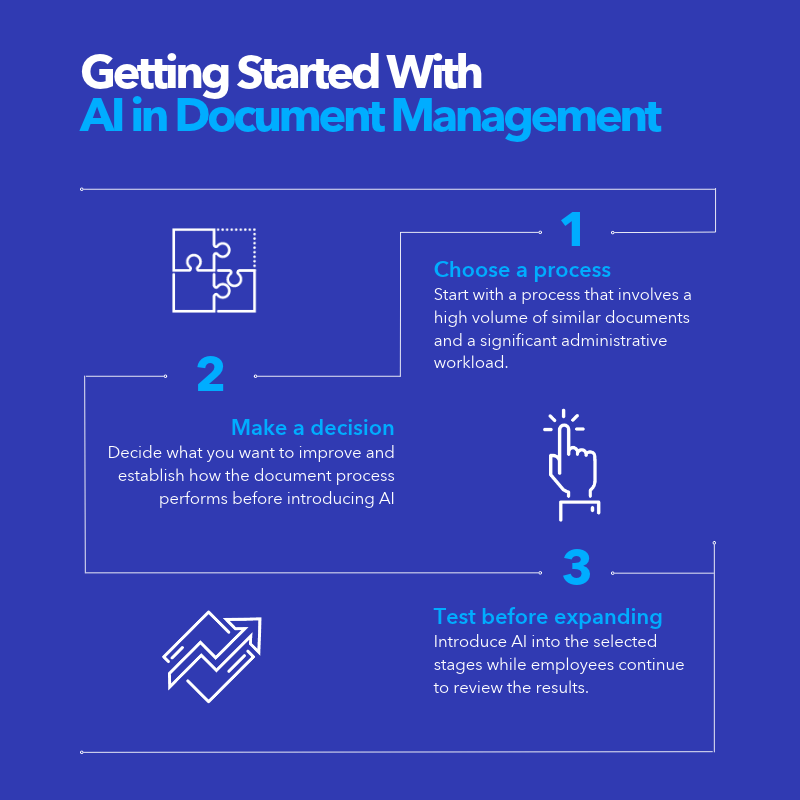
3 steps to getting started with AI in document management
You do not need to introduce AI across every document process at once. A focused starting point makes it easier for you to assess the results before extending AI’s use.
1. Choose a process
Start with a process that involves a high volume of similar documents and a significant administrative workload. Invoice processing is a good candidate because invoices contain recurring information and usually follow an established approval process.
2. Decide what you want to improve
Establish how the document process performs before introducing AI. Depending on the use case, that could mean measuring data-entry time, processing times, correction rates or the time employees spend finding information. This gives you a baseline against which to assess the results.
3. Test the process before expanding
Introduce AI into the selected stages while employees continue to review the results. Once you have evidence from those documents and processes, you can decide whether to extend the approach to other areas of your organization.
AI in document management: where to go from here
Finding and summarizing information, extracting data, sorting documents and routing work are already viable uses of AI. The opportunity now is to identify where manual document work is holding up your team and put those capabilities to use.
Focus on processes where employees spend too much time getting information ready before they can act on it. Use AI to reduce that work, then measure the time saved, errors reduced or turnaround improved.
Just remember: as AI takes on more everyday tasks, your employees still need to verify the information it provides. They should check the original source, consider the information in context and use their own judgment where necessary. With AI integrated into document management software such as DocuWare, they can do that without leaving the system where the information is stored and managed.
Frequently asked questions about AI in document management
What’s the difference between a DMS and a DMS with AI?
A traditional document management system stores, organizes, secures and retrieves documents using defined rules and information associated with each file. A DMS with AI can also interpret document content, extract information, classify files and respond to natural-language requests.
What is an AI assistant in document management?
An AI assistant allows employees to ask for information from business documents using everyday language. Instead of receiving a list of search results, they can receive an answer or summary with references to the documents used.
Is AI in document management worth it for a small business?
Yes, it can be if document handling creates enough administrative work to warrant it. Document volume, employee time and the amount of manual processing involved are better indicators of whether AI could deliver worthwhile benefits than company size alone.
Can AI read handwritten or poorly scanned documents?
Some AI-based document processing systems can recognize handwriting and work with scanned documents. Accuracy depends on the quality and legibility of the source material.
Is AI in document management secure?
Security depends on the provider, deployment and configuration. Your organization should examine how data is processed, which access controls apply and whether existing document permissions also govern AI access.
What is the best AI document management system?
There is no single system that suits every organization. Selection should reflect the documents and processes involved, integration requirements, security requirements and the software already in use.
What should I look for in an AI-powered document management system?
Look at how well it handles your document types and processes, whether employees can trace answers back to source documents, how it integrates with existing systems and how access permissions and data protection are handled.