If an outside party, such as a contractor or software company, is working for the school, they may only access student records when performing services the school would typically handle internally, or if the school maintains direct control over how the data is used and managed. These third parties can only use the information for the agreed-upon purpose and cannot re-disclose it without obtaining permission from the student or parent.
FERPA does not specify how long schools must retain student education records. The only requirement is that schools can’t destroy a file while there’s an open request to review it. This means it is often safest for schools and colleges to retain both physical and electronic records indefinitely. In addition, even though the Department of Education recognizes that data breaches can threaten student privacy, FERPA doesn’t make it mandatory for schools to use any particular security protections for these records.
In practice, courts have ruled that not every document that names or refers to a student is protected by FERPA. FERPA typically only applies to education-related records.
Best practices for FERPA compliance
Implementing a secure data management system
Document management software (DMS) is a digital solution strictly controls confidential student information, so you can develop compliance-friendly processes that begin, execute and conclude in a stable, predictable, measurable way.
When only authorized individuals, including staff, clients, or auditors, can review the full history of a student record, demonstrating FERPA compliance becomes much simpler. A DMS also provides top-notch security, automated workflow and audit trails that detail who has viewed, printed or edited each document.
Employee training and awareness
Regular, ongoing employee training is essential to meet FERPA standards. Failure to comply with these requirements not only puts your company at risk by not ensuring your employees are properly trained; it subjects your organization to strict fines and penalties.
This training covers the key laws related to how student records can be used and shared, breaks down what responsibilities each staff member and instructor has, offers tips for safeguarding student privacy, and details what can happen if these rules aren’t followed.
Regular compliance audits
Conduct both internal and third-party audits to ensure compliance with FERPA standards across all aspects of data management and storage. Use audit findings to identify issues such as unauthorized access, weak encryption, or insufficient training. Address problems quickly — by updating policies, strengthening security, or increasing staff training — and monitor improvements for continued compliance.
How DocuWare supports FERPA compliance
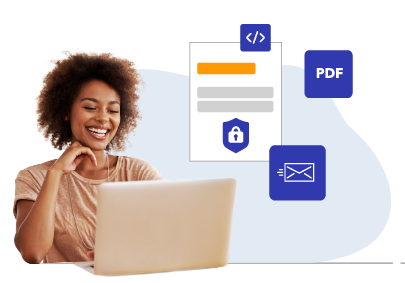
With DocuWare, your organization benefits from workflows and documents that are controlled through secure, password-protected permissions. You’re able to monitor document revisions, oversee any changes, and specify who can view, modify, save, access, update, or relocate files. Detailed audit trails keep everything transparent. Here’s a more detailed view of the capabilities DocuWare offers.
Secure document storage
The DocuWare solution incorporates user authentication, HTTPS data transfer, 256-bit encryption, multi-level access control, traceability and robust protection against malware and other forms of cyberattacks, and other risks.
With DocuWare, your staff can retrieve active files and archived records instantly for reference and FERPA compliance audits. In addition, DocuWare Cloud creates multiple backups, ensuring documents are safeguarded against disasters or accidental loss.
Easily manage who can see your data
With DocuWare document and workflow management, access is handled through an advanced permissions structure. This format lets you decide exactly which staff members have the authority to read, work on, export or delete documents. Permissions can be assigned by individual, role or department. By setting up this comprehensive system, you keep your documents and data secure and private across all departments.
Access is provided via a unique username and password. DocuWare can be configured with multi-factor authentication or single sign — a fundamental component of strong security.
Audit trails and monitoring
The DocuWare system provides audit trails — a time-stamped record that tracks user actions and system events related to a document, transaction or process. These records supply a permanent, tamper-resistant log of every change or interaction that happens within DocuWare.
With DocuWare audit trails, you demonstrate that your school or university has established tight controls over access to sensitive student information. These logs capture essential changes, such as updates to transcripts and financial aid files, making compliance with FERPA easier. Beyond meeting legal standards, audit trails deliver an accurate historical record that can be revisited for future review or investigation.
Workflow automation for compliance
DocuWare Workflow Manager introduces precision to your processes. Documents follow the same multi-step path from document creation or submission to completion of the workflow, ensuring accuracy and compliance at each stage.
Workflow Manager can automate controls and calculations, set up step-by-step or simultaneous tasks, add custom conditions, define deadlines, assign roles to different team members, and control what each person or group can do in the workflow.
DocuWare’s workflow automation and task management capabilities let you put your information to work — whether your process is straightforward or more complicated.
Case study: College streamlines admissions and registration to better meet FERPA privacy requirements
 Roberts Wesleyan College is a Christian liberal arts college located near Rochester, New York, with a student body of 2,000. Before implementing DocuWare, the college kept admissions and registration files in physical cabinets in the main office, and space for storing documents was quickly becoming an issue. The college's management team wanted to more easily meet privacy requirements outlined in the Family Educational Rights and Privacy Act (FERPA) by automatically limiting access to confidential information.
Their goals included:
- Implementing secure storage of prospective students' applications, transcripts, letters, ACT and SAT scores. They also wanted to safeguard major request forms, transcripts, academic alerts and other information.
- Tracking the receipt of admissions documents and forwarding them to the admissions counselor and admissions director for approval.
-
Increasing enrollment by simplifying the admissions process were their other goals.
Integrating document management with AdmitGold admissions software solved a major workflow issue.
-
Reducing printing and storage costs.
With the updated system, the college can bring all information together and gives faculty advisors tailored access to DocuWare, depending on each student’s major. This eliminated storing student information in multiple locations and ensured everyone refers to the most current document. Having one universal database gives the staff the tools they need to answer questions quickly, thereby decreasing student frustration.
"Before DocuWare, we would have to schedule a meeting to determine if a student could receive transfer credit. Today this is done virtually with a predefined workflow, saving time and clearing excess meetings from staff schedules,” College President Deanna Porterfield explains. “DocuWare gives us the framework to meet our goal of increasing enrollment. Our workflow is simple and transparent, speeding admissions processing time and allowing us to simplify things for our students,” Porterfield concludes.
Saving $5,000 per year on storage costs is a significant plus
By moving to an electronic system, the college reduced printing and storage costs by $5,000 annually. In addition, integrating DocuWare with their existing software is a considerable advantage.
"The integration between DocuWare and our admissions software, as well as our student information system has become a key benefit of our new solution. Our data syncs every two minutes, so we know we always have our documents indexed correctly and have the most current information available to our staff," Porterfield says.
Read the full case study
Resources and further reading
Official FERPA Guidelines
Compliance Checklist
What does FERPA stand for?
FERPA is an acronym for the Family Educational Rights and Privacy Act. It covers everything from financial aid documents and academic transcripts to the publication of test results, all to ensure students' personal information stays private. Schools are required by FERPA to secure and oversee student records with high privacy standards. FERPA applies to every school that gets federal funding.
Does FERPA apply to private schools?
FERPA protects student privacy when families have Education Savings Accounts (ESAs). With ESAs, state money goes into a parent’s authorized account; enabling families to pay for things like private school tuition or other approved education costs.
Who does FERPA apply to?
Students’ personal details are safeguarded under FERPA to make sure no one can use or share them without permission. Any school getting federal money has to obey FERPA guidelines, whether it’s a public or private institution, K-12 school, community college, or university.
How does DocuWare enable your school or university meet FERPA requirements more efficiently?
With DocuWare, your team gets the advantage of secure storage and automated workflows governed by password-protected access controls.
Audit trails are another key feature — these time-stamped logs show who did what and when. The detailed records provide proof that your institution is strictly managing access to confidential student data. DocuWare also builds in user authentication, secure HTTPS connections, 256-bit encryption, and strong defenses against malware and other digital threats to ensure your institution meets FERPA requirements.
Setting up these security measures keeps student data safe and confidential across departments.
What are examples of a FERPA violation?
Unauthorized disclosure: Sharing a student’s grades, disciplinary notes, or personal information with someone who isn’t authorized or doesn’t have valid educational reasons to view them or circulating them without the student’s approval.
Unsecured student records: Placing student files, whether digital or physical, in an unsecured location where unauthorized individuals can access them, and they can be lost or damaged.
Denied mandated access: Denying an eligible student or their parents access to the student’s records or delaying access beyond the time allowed by law.
What happens if FERPA is violated?
The biggest risk for not following FERPA is that your school could lose federal money, putting its finances and daily operations at risk. Students or parents with complaints can reach out to the Department of Education’s Family Policy Compliance Office, which can start a formal investigation. While FERPA doesn’t authorize individuals to take legal action against a school, violations could still expose an institution to lawsuits initiated through other privacy regulations.
The information in this blog post is intended for educational purposes only. If you have specific questions, consult your compliance officer, legal department or outside counsel.



 Transcripts
  Quizzes and assignments graded by peers during class.