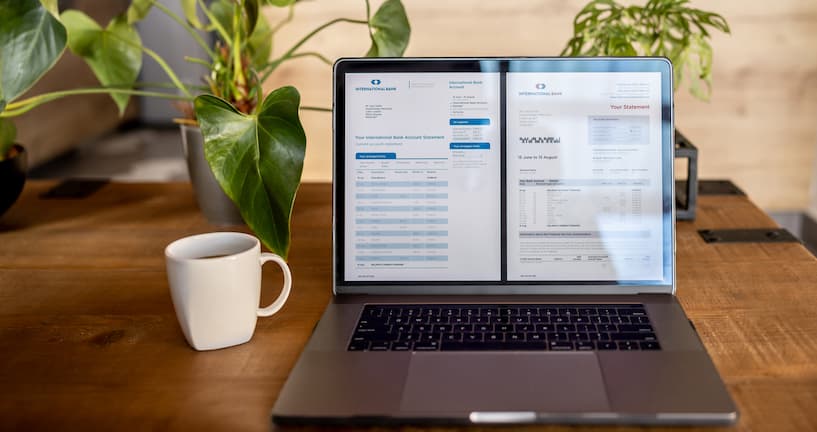
It's 4:45 PM on a Friday. In the finance department, Sarah and her team are hunched over stacks of supplier invoices, entering data into their accounting system. Three urgent vendor payments are already overdue. The month-end close, scheduled for Monday, looks increasingly impossible.
Across town, Marie from accounts payable is wrapping up for the weekend. Her team processed twice Sarah’s invoice volume today, with half the staff. They sent all incoming bills to the correct approvers. They even found time to analyse spending patterns and improve cash flow forecasting.
These two companies show the stark contrast facing finance departments today. The difference? One is drowning in paperwork and manual processes. The other has undergone a complete business transformation using comprehensive Intelligent Document Processing (IDP) solutions that leverage OCR technology to automate workflows and enhance financial visibility.
Table of Contents
- Definition of invoice OCR
- How does invoice OCR work?
- What does a typical OCR accounts payable process do?
- Common misconceptions about invoice OCR
- What are the benefits of using a modern OCR solution to automate accounts payable workflows?
- How Stuart Plumbing & Heating Suppplies is saving 40% in processing time thanks to AP automation
- 5 steps to fully automate processes with invoice OCR
- Discover DocuWare's automated invoice processing software
Definition of invoice OCR
Invoice OCR (Optical Character Recognition) is a specialist IDP technology that reads and extracts key financial data from your invoices. It’s like having an incredibly efficient, finance-savvy assistant who knows exactly where to find total amounts, tax figures, due dates and vendor information on the most chaotically formatted invoices.
Modern IDP combines OCR with sophisticated AI capabilities to not just read text, but understand document context, identify key data relationships and drive automated workflows. It converts printed or scanned documents into editable, searchable data that can directly integrate with your accounting systems, enterprise resource planning (ERP) software and financial workflows.
This digital transformation cuts month-end closing time from weeks to days by eliminating manual data entry, reducing processing errors and accelerating invoice approval cycles.
How does invoice OCR work?
Modern OCR technology uses artificial intelligence (AI), machine learning (ML), and IDP to automate invoice workflows. But what does this mean in real terms for finance teams?
For companies like Marie’s, which have invested in invoice OCR, accounts payable staff can stop worrying about data entry and focus on financial analysis. The OCR system captures key invoice details and automatically converts them into structured data that financial systems can read and use, saving time and improving decision-making.
Automated invoice processing AI can handle virtually any invoice type, including:
- Multiple formats: Paper invoices, PDFs, digital invoices, email attachments, even photos of receipts taken on a smartphone
- Any document type: Structured, semi-structured or completely unstructured documents with varying layouts
- Diverse sources: Supplier invoices, employee expense receipts, system-generated documents and invoices received through vendor portals
- Challenging documents: Including handwritten notes, complex formatting and poor quality images
Invoice OCR extracts the critical data elements finance teams need - invoice numbers, dates, vendor details, line items, totals, tax figures and payment terms - without a single manual keystroke.
What does a typical OCR accounts payable process do?
To understand why Marie's team finished early while Sarah's worked late, let's walk through how OCR technology runs a typical invoice processing workflow.
- It captures the invoices.
The first step in the workflow is getting invoices into the system. Manual teams must sort through email attachments and paperwork, while OCR technology’s digital document capture capabilities collect all invoices regardless of source. OCR invoice scanning is compatible with physical and digital documents, creating a single source of truth. - It pre-processes the image
Uploading your invoice to OCR enhances image clarity, corrects distortions, removes background clutter and improves readability. These optimisations improve data accuracy, especially for lower-quality scanned documents. - It recognises, extracts and converts data
Instead of manually typing each field into your system, OCR technology’s intelligent indexing identifies and extracts data fields automatically. Messy documents are transformed into clean, organised information that teams can actually use.
Sometimes, critical information isn’t easily accessible or interpretable. OCR technology can turn unstructured data like blocks of text into structured, usable information. It can also identify and categorise line items, product details, quantities and prices, ready for processing and analysis. - It validates and verifies the information
OCR systems automatically cross-check totals against line item sums and verify vendor information against supplier databases, flagging any discrepancies for human review. - It exports the data to other systems
Without automation, staff manually enter the same data across multiple systems. With OCR, validated invoice information is automatically transferred to your accounting or ERP system. The software intelligently maps extracted data to the correct fields, eliminating duplicate data entry. - It archives everything
Say goodbye to filing cabinets overflowing with paper. OCR software stores invoice data in a secure document repository, organised by relevant categories, such as supplier name, date and invoice number. This categorisation ensures your records are easy to retrieve and are compliant with legal or regulatory retention requirements.
Common misconceptions about invoice OCR
Despite clear benefits, some businesses still hesitate to embrace OCR invoice processing. They hold outdated beliefs about the technology's capabilities.
Let’s clear up some of these misconceptions:
|
Myth |
Reality |
|
“OCR is not accurate enough.” |
AI-powered OCR is highly accurate, even when you process low-quality scans or handwritten invoices. |
|
“OCR can’t handle complex invoices.” |
Advanced OCR solutions can adapt to multiple invoice formats and structures. |
|
“OCR requires constant human oversight.” |
Once trained, OCR systems work on their own with very few exceptions. However, it’s still good practice for someone to spot-check results. |
|
“OCR is only for large enterprises.” |
Not true. Small and mid-sized companies can benefit greatly from OCR invoice processing. It reduces workload, minimises errors, and helps employees complete more work in less time. |
|
“OCR is hard to integrate with financial systems.” |
Market-leading OCR technology easily connects with ERP, accounting and AP automation tools. |
What are the benefits of using a modern OCR solution to automate accounts payable workflows?
Most finance departments manage invoices like they did a decade ago, which creates daily problems. Paper documents are misplaced, manual data entry is prone to errors, and approvals bottleneck with busy managers. The entire team spends more time on administrative tasks than financial analysis.
Using AI for invoice processing eliminates most manual touchpoints, helping to reduce errors, speed up processing times, cut costs and improve compliance.
Reduction in Manual Data Entry Errors
63% of businesses report fewer invoicing issues after automating their AP processes.
It's not hard to see why. When invoices are manually managed, mistakes happen. A decimal point shifts in the wrong direction. An invoice gets entered twice. These basic errors create vendor disputes, delay payments and require valuable time to fix.
AI invoice processing means your team can stop worrying about data entry and focus on more important work. OCR invoice scanning captures data directly, eliminating input errors and improving reliability.
Faster Invoice Processing Times
Without automation, invoice processing follows a slow path: receive, sort, enter, validate, send for approval, chase approval and process payment. Each step adds time.
AI invoice processing compresses this timeline by reducing the lifecycle from receipt to approval. OCR software automatically extracts data from each receipt, validates it against purchase orders or contracts, and routes it to the appropriate approvers. Standard invoices can move through the system with minimal human intervention.
Quicker invoice processing also increases visibility into upcoming expenses and improves financial forecasting, driving better business cash flow.
Cost Savings in Accounts Payable Operations
When you add staff time, error corrections and late payment penalties, the cost of manually processing invoices mounts up.
OCR technology cuts operational costs by reducing your reliance on manual processing. Overheads are lower, mistakes are minimal, and your accounts payable team can focus on higher-value work that moves your business forward.
Improved Supplier Relationships
Suppliers form opinions about your business based on how efficiently you handle payments. When invoices frequently get lost or payments arrive late, relationships can suffer.
OCR automation creates more consistent, transparent invoicing processes. Your finance team can use the system’s intelligent indexing to locate invoices quickly and approve payments faster. They can also resolve queries immediately because the information they need is readily available.
This reliability builds vendor trust, opening the door for greater negotiating power and better terms. In competitive markets, strong supplier partnerships are a genuine business advantage.
Enhanced Data Accuracy and Compliance
Finance teams face constant pressure to prove regulatory compliance. When you're managing invoices manually, scattered information and inconsistent approval trails make this demand very difficult to meet.
Invoice OCR AI understands the context of your financial documents and ensures that records stay accurate. At audit time, instead of the typical scramble to gather information, your automated record-keeping has already created a clear, complete trail of every transaction.
How Stuart Plumbing & Heating Supplies is saving 40% in processing time thanks to AP automation
This scenario might sound familiar: a thriving, family-run business with 35 years of history suddenly faces a back-office crisis due to their own success.
With only two staff members manually processing over 2,000 invoices a month, Stuart Plumbing & Heating Supplies was reaching breaking point. Their eighth branch had just opened, but their invoice processing hadn't evolved since the days when they operated a handful of locations.
The finance department reduced its invoicing time by 30-40% using DocuWare as a document management solution (DMS) to automate invoice entry through intelligent indexing and workflow automation. Even more impressive, they've grown by over 15% without adding a single new finance staff member.
"Now we close our books 10 days earlier each month," says Stephen Elliott, Finance Director at Stuart Plumbing & Heating Supplies. "Our team can finally focus on financial analysis instead of manual data entry."
Learn more about Stuart Plumbing & Heating Supplies.
5 steps to fully automate processes with invoice OCR
Step 1: Assess your current invoice processing workflow
Before diving into data extraction from invoices, you need to understand the pain points in your current invoice management process. Where do documents get stuck? When they arrive in various formats at the initial intake? Or during data entry, when your team types the same information repeatedly?
Map out how much time you spend on each invoice-related activity. This analysis will help you identify precisely where workflow automation can improve your financial operations and calculate your potential ROI.
Step 2: Choose the right AI-driven OCR solution
Not all OCR software is created equal. Look for technology with invoice processing AI and machine learning at its core, as these systems grow more intelligent with every invoice they process. The ideal solution adapts to your business rather than forcing it to adapt.
Don't overlook the user experience, either. Choose a system that balances sophisticated features with intuitive interfaces and robust compliance capabilities.
Step 3: Set up the system and integrate with your financial software
Integration is where OCR transforms from a helpful tool to a complete financial solution. Without it, you're simply moving the bottleneck to a different stage in the process.
Connecting OCR to your ERP, accounting software and AP automation tools will create an unbroken digital chain, allowing invoice data to flow precisely where it is needed.
Step 4: Train the system and fine-tune for accuracy
Your OCR system becomes even more valuable when it's tailored to your specific requirements, so take time to define key invoice elements.
Teach the system where to find critical information on your most common vendor documents. Create templates for regular suppliers. Establish clear validation rules that flag potential issues before they enter your financial system.
This up-front investment might seem time-consuming, but it pays dividends. Each refinement enhances data extraction accuracy and reduces the need for manual corrections. And because you've chosen invoice OCR with machine learning capabilities, the system continuously improves.
Step 5: Establish workflows and monitor performance
Implementing an OCR system is just the beginning of your investment. The business intelligence it provides will help refine your invoicing processes over time.
Tracking metrics such as processing times, approval speeds, and error rates will highlight opportunities for further improvement. Scheduling regular system audits will also help you to adapt and enhance your workflows as your business evolves.
Discover DocuWare's automated invoice processing software
Right now, you have a choice: do you want to end your week like Sarah or like Marie? The difference comes down to having the right tools for business transformation.
DocuWare's AI-powered invoice OCR solution transforms accounts payable priorities from tedious data entry to strategic financial management.
By creating a centralised hub for all your invoices (no matter the format), DocuWare enables multi-channel document capture, eliminates processing bottlenecks and automates approvals.
With seamless integration across 500+ business applications, including Sage, QuickBooks and Microsoft Dynamics, DocuWare fits perfectly into your existing systems.
Mobile approvals, secure archiving and comprehensive audit trails ensure you maintain control while focusing on what matters most: gaining strategic financial insights that drive your business forward.